Hi,
We have a requirement on splitting a txt file by DEPARTMENT , then output it into a txt file also. I have already did the datamapper by setting the boundaries that when the value of the department change it triggers the boundary. But when executing the workflow also used metadata splitter , it outputs the txt files but the contents are the same.
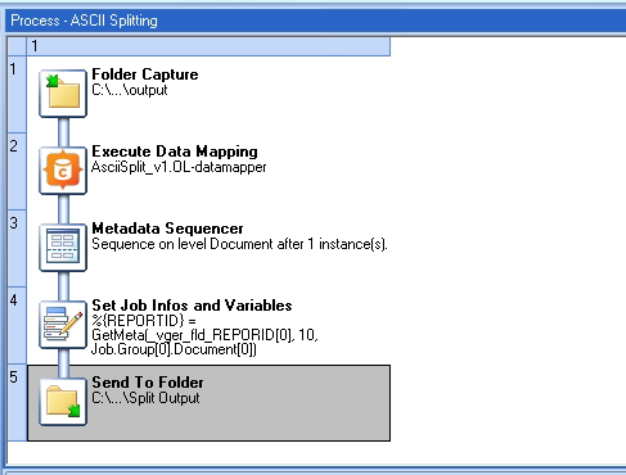
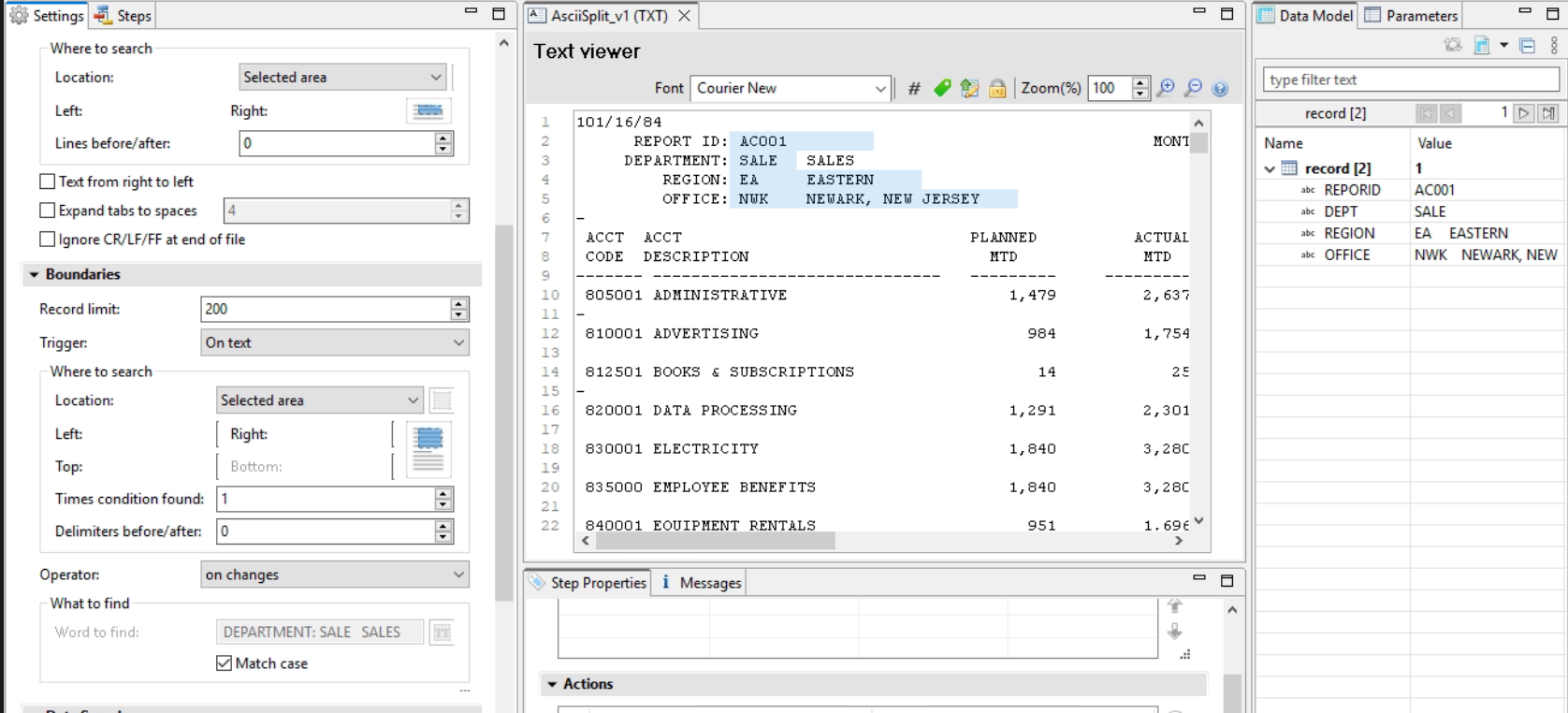
Hello Jared,
Can you let us know please what value is inserted in the File name field and if the option Concatenate files is checked in the Properties window of the Send to Folder Workflow plugin? Because most likely it is overwriting the same file.
AC001E_20251125_152539_ascii.txt (88.9 KB)
Hi Marten,
I uploaded the sample file we are using , and wanted to split it by the DEPARTMENT(SALE,MANU) , so our desired output will be 2 txt files(SALE.txt , MANU.txt) after the split they will have their own contents.
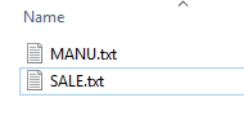
The Metadata Sequencer is NOT a splitter! Ref: Metadata Sequencer
What it does is filtering which metadata chunk will be part of each iteration.
Connect Designer and Workflow both use metadata BUT the metadata of Connect is not quite exactly the same as what Workflow use. The metadata was introduced with PlanetPress Suite (PPSuite), a legacy software. Its approach as reading data was more linear in that a page was a page. The concept of records, as you have in Connect Designer, didn’t exist.
In PPSuite, you define what a page is, quite like what you can do In Workflow in the Data Selector:

However, in Connect, you have records which is, to make a comparison, an x number of pages group together.
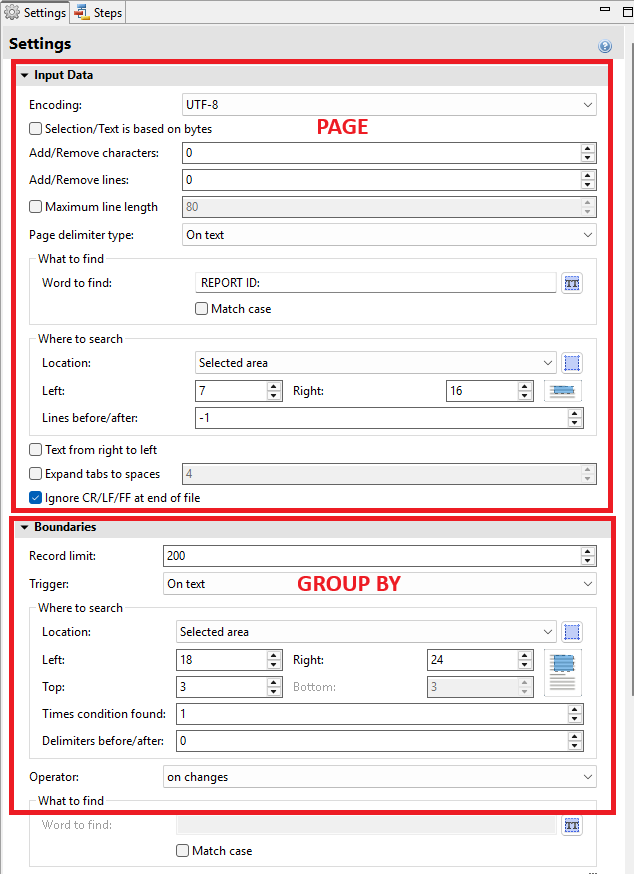
So Workflow, doesn’t know how to group those pages into records, that is why you cannot use metadata from Connect into Workflow for the purpose of splitting it.
What you can do is split the data in Workflow and concatenate the pages that go together using the Send To Folder plugin as so:
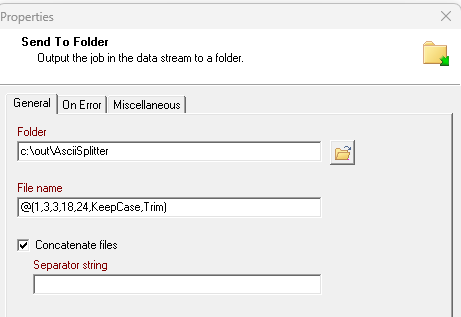
Now in the case here, you will want to split the file based of a key word, which keyword defines what a “page” is: REPORT ID:. You’ll do this using the In Stream Splitter plugin:
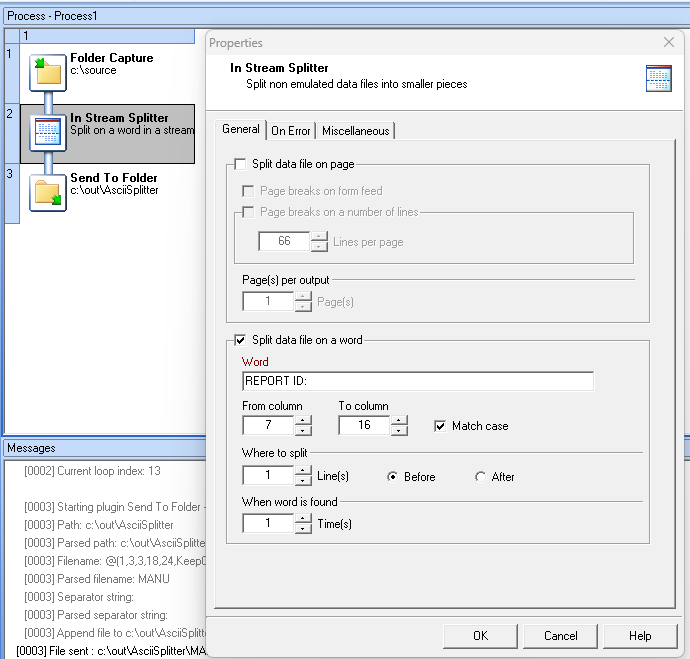
The output setup is in the second image.
Hope that helps.
Hi jchamel,
I tested this and it works , i see that you use the datamapper just to get the boundaries/grouping values. Thanks for the help. This is a new knowledge for me.
I actually didn’t use the Datamapper for this solution. I used it to display the concept of records in my explanation.
1 Like