I have been setting up simple Workflows that accept CSV files as input and output PDFs, AFPs, or both. But even my simplest Workflows have been skipping certain files for seemingly no reason.
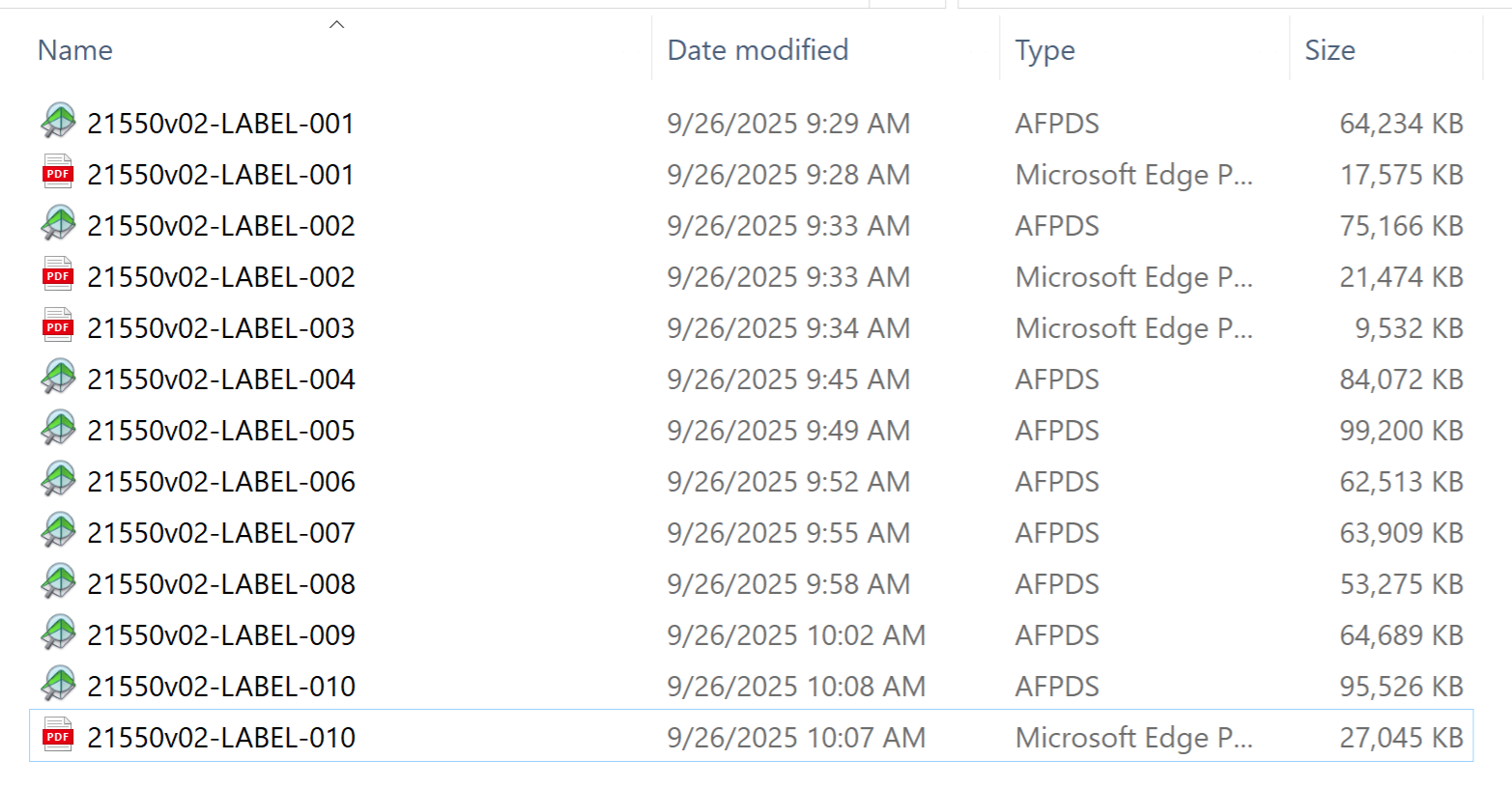
For instance, here’s the output for a couple of CSV files I had named 21550v01-LABEL-001, 21550v01-LABEL-002, and so on. For each one, it is supposed to output a PDF and an AFP of the same name. You can see, though, that it’s very inconsistent:
It’s unfortunately not easy to help you with figuring out the root cause of the issue you are facing without knowing how your current workflow process is configured. Could you share a screenshot of the workflow process in question perhaps?
Thanks for offering to help - however, we did figure out that resetting the server seems to fix this issue for whatever reason. For the time being, we’re just going to do that before we run jobs. Thanks anyway!
It could be that whatever drop those CSV file in your input folder still had a lock on those files, which would prevent Workflow from handling them. Could it be that when this occurs, files not outputting what is expected are still in the input folder?
It could also be that you were reaching the 1.8gb limitation of Workflow (being a 32 bits application) and by resetting the server, the memory was freed. When reaching the limit of memory or the CPUs reaching 100%, weird unpredictable things can happens.
The Task Manager does indicate that the Workflow process consistently pushes the limits of our server’s CPU, usually using 100% at some point in the process. Is that normal? Would there be a setting we could change to have it reduce the load on the server?