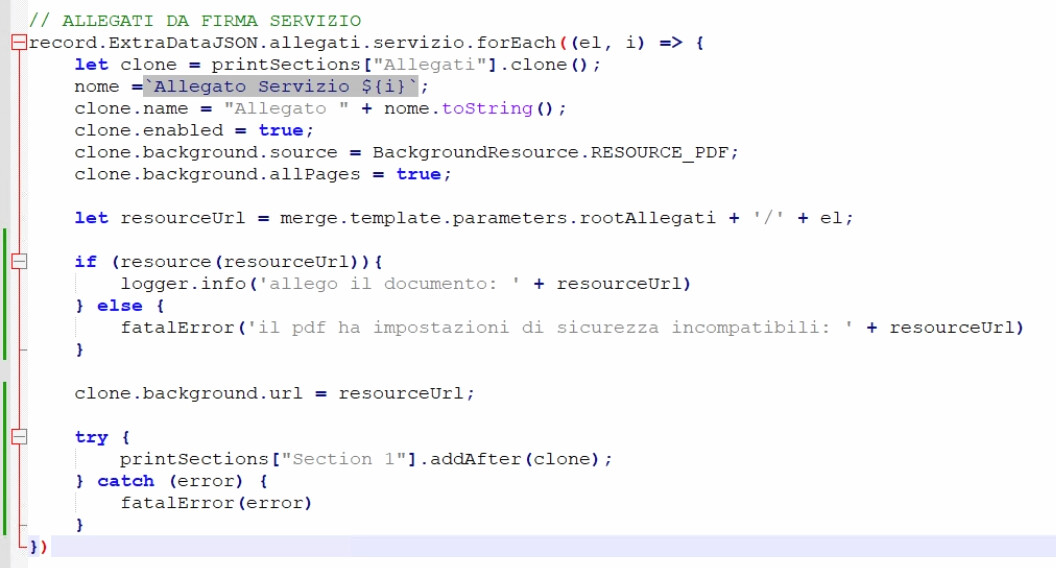
When applying an existing PDF as a background resource I encountered the error
“Unable to handle secure document … content copying is not allowed”
Upon some research the error is expected and there is nothing to do, however the process does not interrupts and produces a document with a blank page.
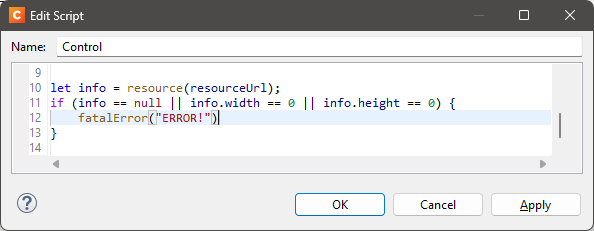
It’s imperative to catch this error and interrupt processing, below my attempts to catch the error and throw a fatalError to interrupt the process, however neither the resource() nor the try catch around the .addAfter works.
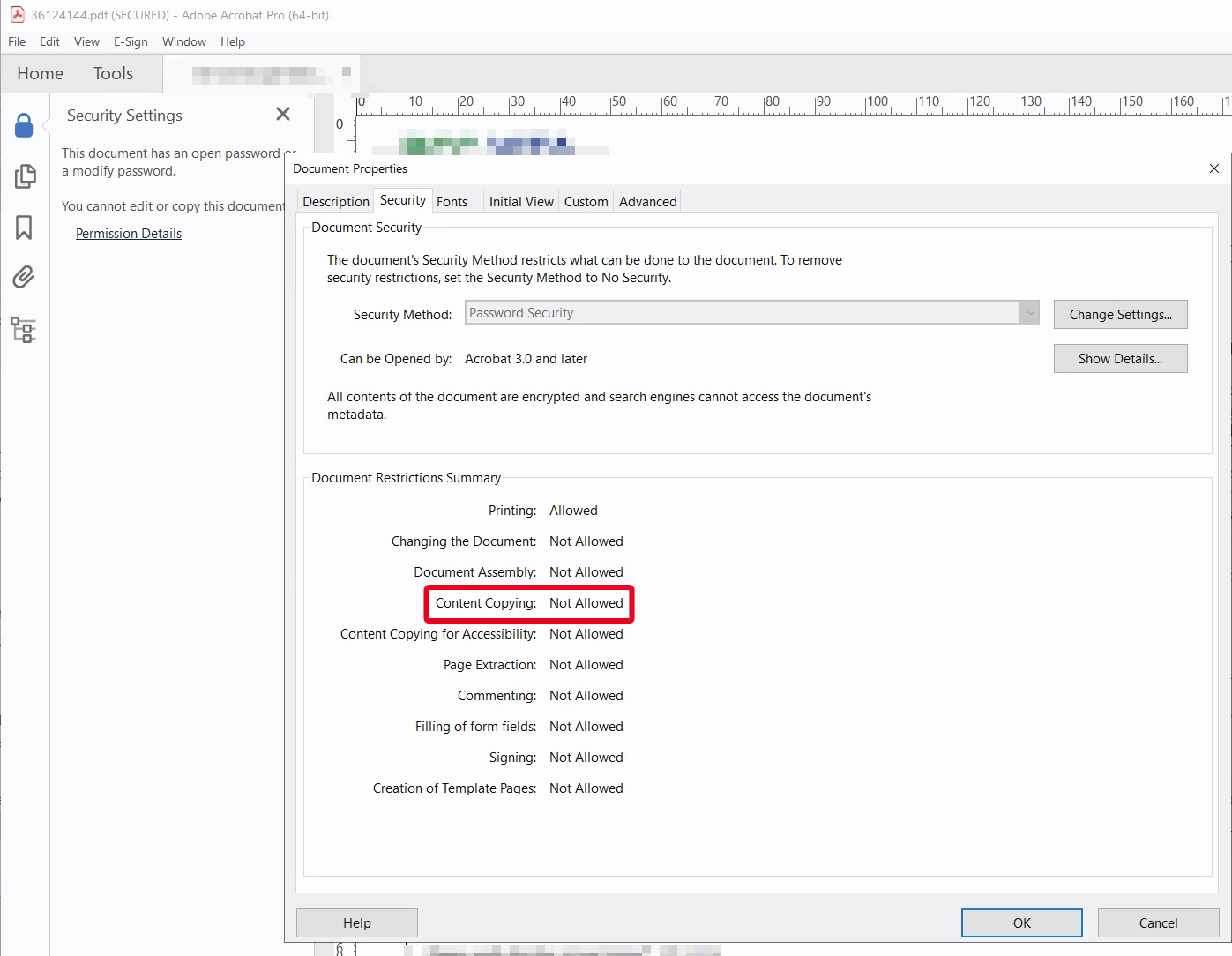
Can you please open a protected PDF in Adobe Acrobat (Reader), go to Menu → Document Properties → Document Properties window, make a screenshot of the information shown in the Security tab and share this screenshot here?
The reason why I am asking is because I am curious what security settings the protected PDF has.
According to the documentation there are also some permissions fields, but I see that they are not initialized properly in this scenario. I’ll create a ticket for that.