How do I prevent a string like 01/01/01 from being converted to a date automatically? The field is set to string, but it still attempts to parse a date from some, but not all input values.
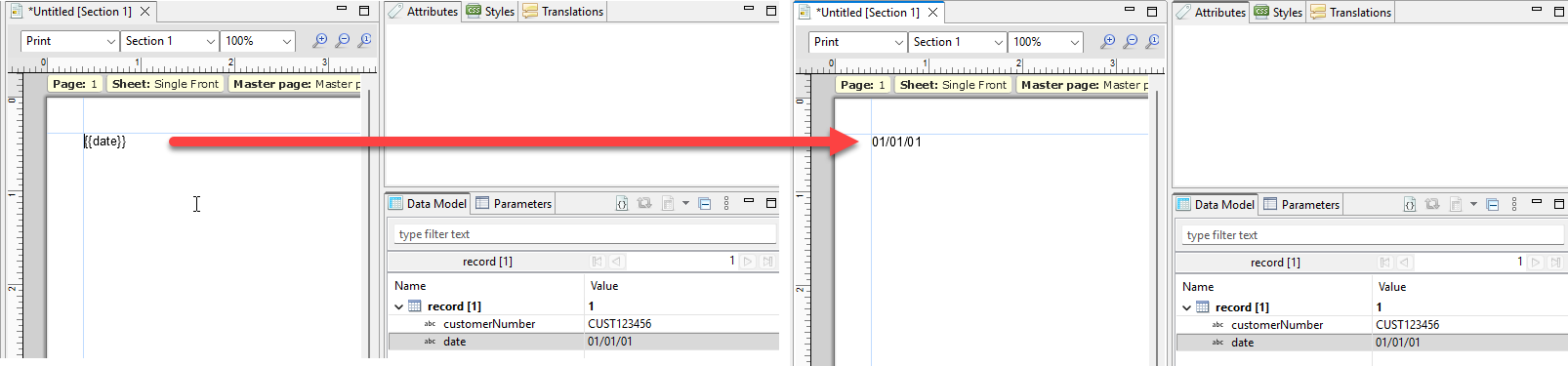
This is embarrassing; neither can I anymore. Probably the ol’ turn off and on again fixed it. Happened on an Excel file - I’ll keep an eye out in case it rears its ugly head.
Or, did you update OL Connect to a later version or had the option Automatically detect data types checked? The reason why I am asking is because the following improvement was introduced with the release of OL Connect 2024.2.3:
Data handling regression issue
A data handling regression issue was discovered with CSV/Excel data when running existing Templates. This issue was introduced by new auto-detection functionality, added in the 2024.2 release.
A option to “Automatically detect data types” has now been added to the data mapping configuration dialogs, to allow switching between the new behavior (checkbox selected) or the old. (94522)