We’re using this script in the CSV datamapper, but when we launch our print production file in the workflow, the datamapper takes a long time to load. Is there another way to manage this datamapper so that the workflow step is more efficient? Thanks.
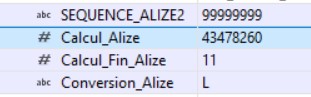
Can you also please share an example of a value set for the record field Calcul_Fin_Alize?
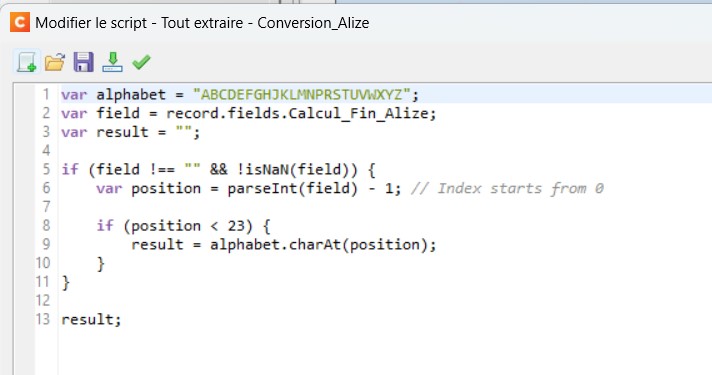
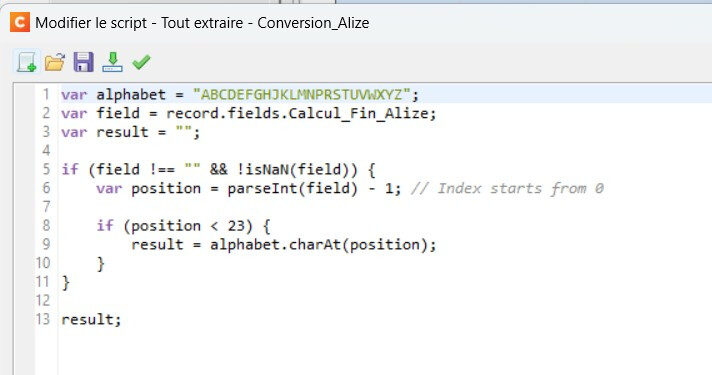
Following is the transcription of the JavaScript code.
var alphabet = "ABCDEFGHIJKLMNOPQRSTUVWXYZ";
var field = record.fields.Calcul_Fin_Alize;
var result = "";

if (field !== "" &&  !isNaN(field)) {
	var position = parseInt(field) - 1; // Index starts from 0

	if (position < 23) {
		result = alphabet.charAt(position);
	}
}

result;
Would you be able to share a copy of the datamapper configuration which does not contain any sensitive information? And what version OL Connect have you installed? The reason why I am asking is because the Execute Data Mapping task finishes in a couple of seconds on my side when I use a CSV sample data file with only the following data:
LINE_NUMBER;SEQUENCE_ALIZE2
1;99999999
2;99999999
3;99999999
etc.
Used scripts
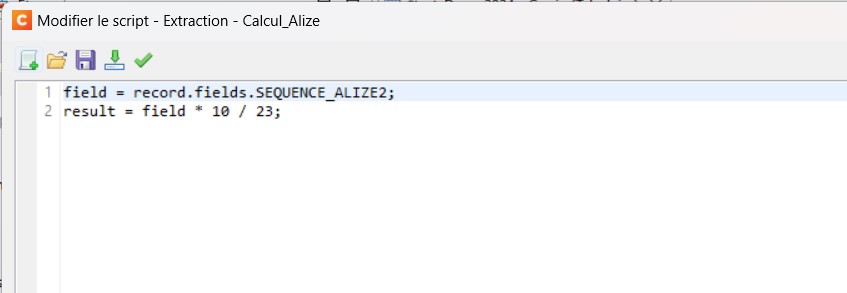
Field list: Calcul_Alize
var field = record.fields.SEQUENCE_ALIZE2;

field * 10 / 23;
Field list: Calcul_Fin_Alize
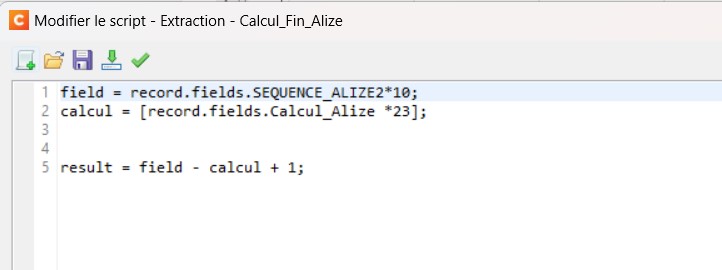
var field = record.fields.SEQUENCE_ALIZE2 * 10;
var calcul = record.fields.Calcul_Alize * 23;

field - calcul + 1;
This won’t help much I am afraid. Could you submit a support ticket via our support portal and attach your current datamapper configuration and workflow configuration files to this support ticket perhaps?
At the end this turned out to be an issue with the Connect Server setting which got reset to the default engine configuration causing slow performance with the Content Creation step (not the Datamapper step). After increasing the number of merge engines (default is 1!), it did speed up considerably.