Hi,
We are in the process of creating a design for a customer. The design has a custom paper type and is used for creating PDF documents.
However now I have noticed that a dotted line is visible on the output PDF.
This dotted line is also visible, when using the preview.
The line is not visible on the master page. Only on the section.
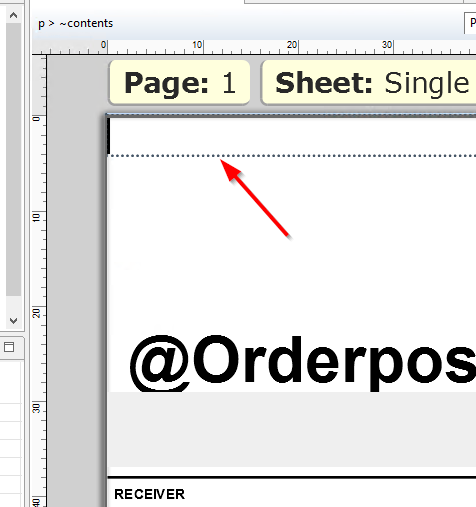
(designer)
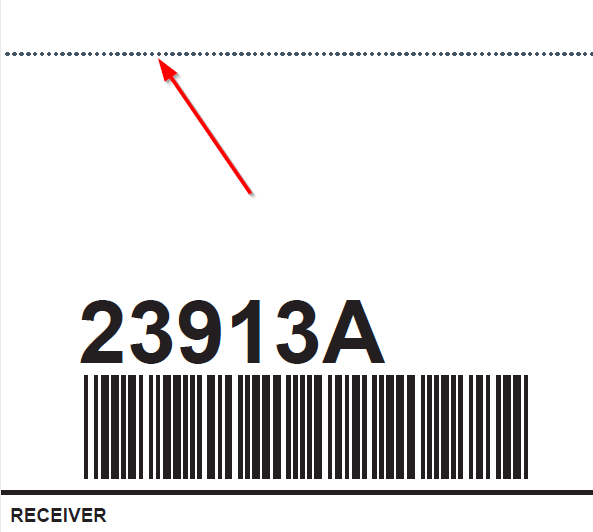
(output pdf)
I haven’t been able to find out why this line, shows up.
At the position, there are no boxes. Only a single line paragraph. Which has a class of “page_break_before” (visible in the preview mode)
I think it is the same dotted line, which is seen when selecting a item in the designer. However it seems to be always visible.
A workaround would probably be, to draw a white box over the dotted line.
However, I feel it is probably something small, that I have missed.
Question: Does anyone have an idea how to remove this dotted line?
FYI: Designer version 2019.2
Kind Regards,
Bob