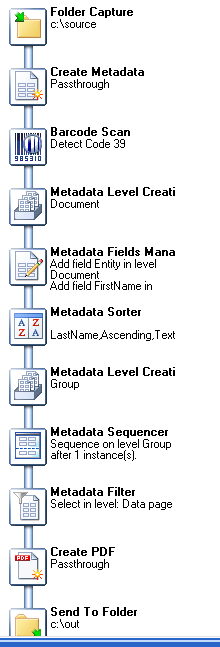
Hello. I am looking for a way to remove the first page of a multipage pdf. I have a workflow that takes a pdf as an input, reads metadata, sorts/groups and separates, and then saves in a folder by “metadata”.pdf. The pdf has a coverpage at the beginning of each document contained within the pdf. I would like to remove the separator page at the beginning of each of the new pdf files.This cover page also has a barcode on it as well. Does someone know how to accomplish this?
Thanks
Why don’t you use the Metadata filter plugin to remove those? Since you know there is a barcode on it, you could as well use the Barcode Scan plugin to pinpoint which pages have the barcode and key on this in the Metadata filter.
Thanks for the reply. I have tried multiple attempts at using the metadata filter and was unsuccessful in my attempts. It could be the position of the filter but not sure. Once I added it and add the barcode scanner node, it would error on the create pdf node. Also, I guess I am having a problem identifying the correct condition. I will try it again.
Thanks
Please post a snapshot of your current process (only the part relating to the PDF manipulation in metadata if the process has many many steps) so I can have an overview idea.
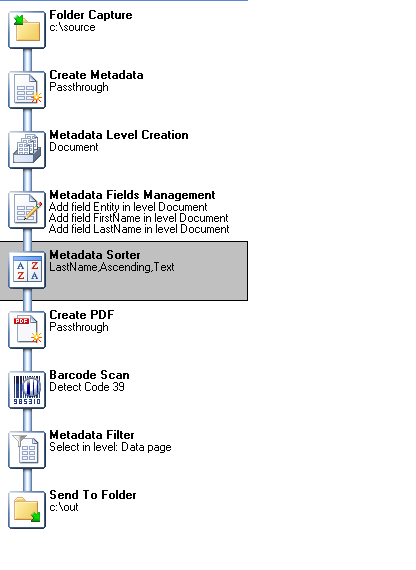
I have attempted this with the filter being in multiple locations. One issue seems to be that it strips off the metadata from the upper level so my file naming is not working in the “Send to Folder”.
The Barcode Scan plugin should be right after the Create Metadata plugin.
- Create Metadata
- Barcode Scan
- Metadata Filter
- Metadata Level Creation
- Metadata Fields Management
- Metadata Sorter
- Create PDF
Thanks! I will give that a try. One question, will this still give me the ability to read the metdata from the cover page for the splitting downstream?
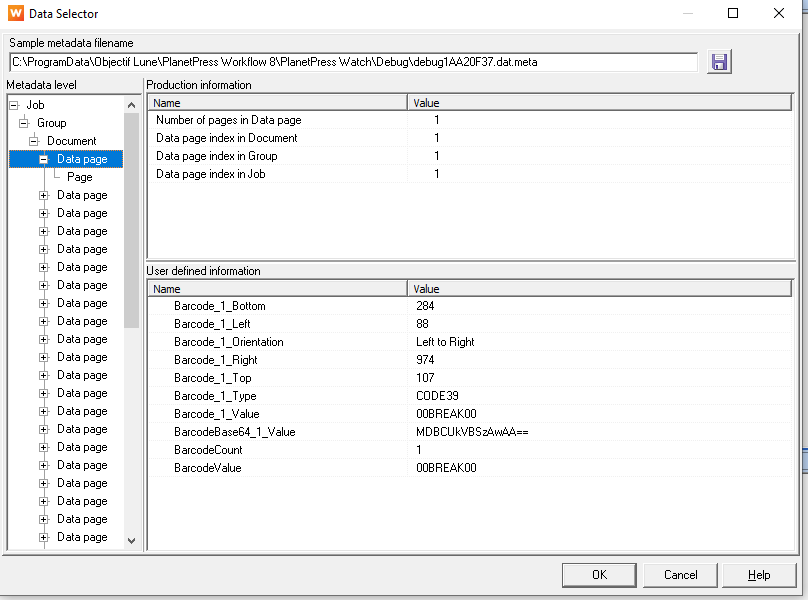
This is before metadata filter.
This is after the filter.
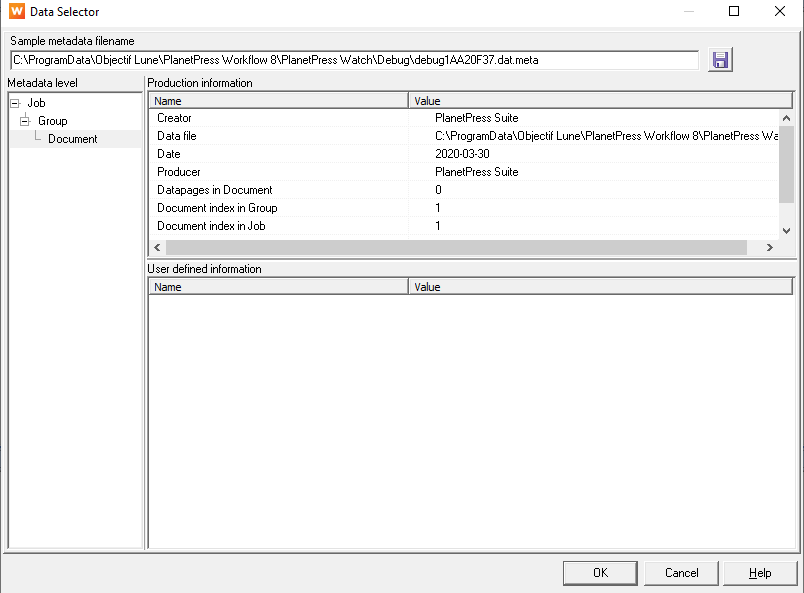
This seems to breaks the rest of the metadata nodes since there isn’t any data to use.
Thoughts?
To keep the value of the barcode, using the Metadata Fields Management, add it at the document level.
The problem seems to be your filter…what did you setup in it?