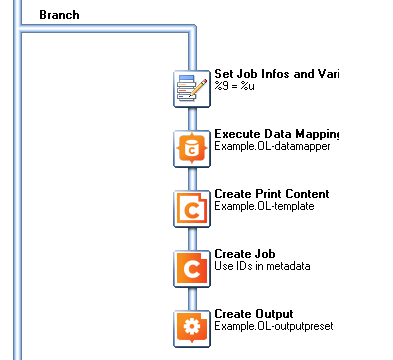
I am just going to throw this out there.
We are a service bureau that prints and mails account statements and utility bills, presorting address data for postal discounts. Many of our customers have moved to a PDF data source, and we need to use Connect to:
-
Extract the address data from the source PDF invoices for presorting through our postal software (we use BCC Ignite built in Redpoint DM)
-
Return the updated address data to the correct invoice and output the PDF file in the presorted order.
We have had some success using PP Designer ver7 to bookmark each invoice (based on a unique field, usually account number) in the source PDF, then splitting the file on that bookmark, resulting in individual invoice PDFs using the bookmark as the filename.
Address data is extracted by a Datamapper to an XML file for presorting. The PDF bookmark field (account number) is included. A CSV file is returned from Redpoint and another Datamapper and template then creates the print job. A script is used to add the correct invoice as a “background image,” using the account number field/PDF filename.
This process does have some limitations, not the least of which is relying on both PP7 and Connect. I dread the day PP7 goes end-of-life. Also, if multiple invoices have the same account number, the split PDFs are overwritten.
I have been able to duplicate this procedure using an Output Preset to “separate” the invoices into individual PDF files, and name them using the account number field in the data, but I was hoping some unique field could be used to identify each record, and name each individual PDF invoice. Looking at the extracted XML file produced by my Datamapper, the vger_record_id was an obvious choice. It is unique to each record and present in the extracted XML. But how do I use vger_record_id to name my individual PDF invoices?
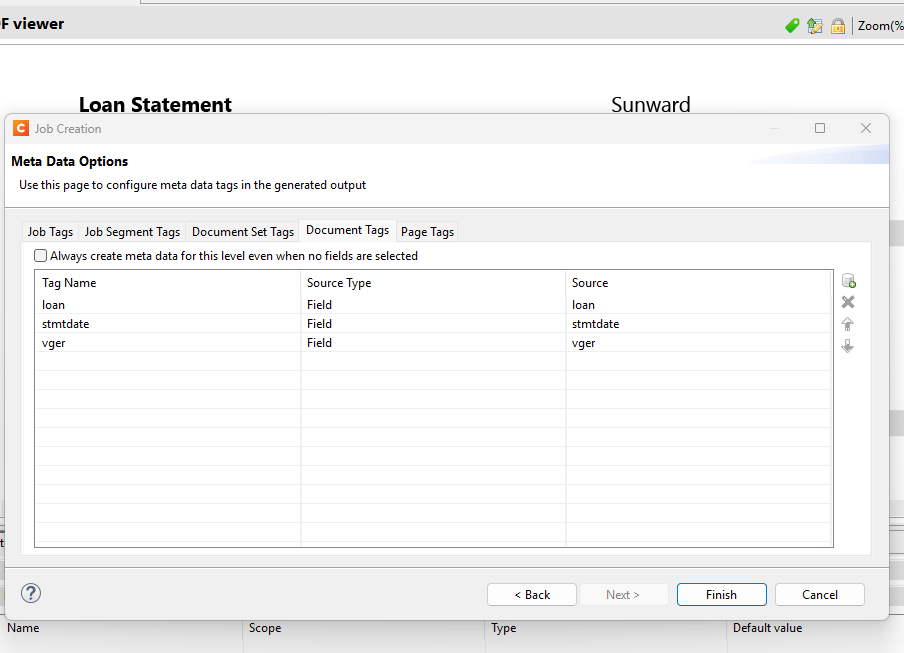
My Job Creation Preset. “Include Metadata” is checked.
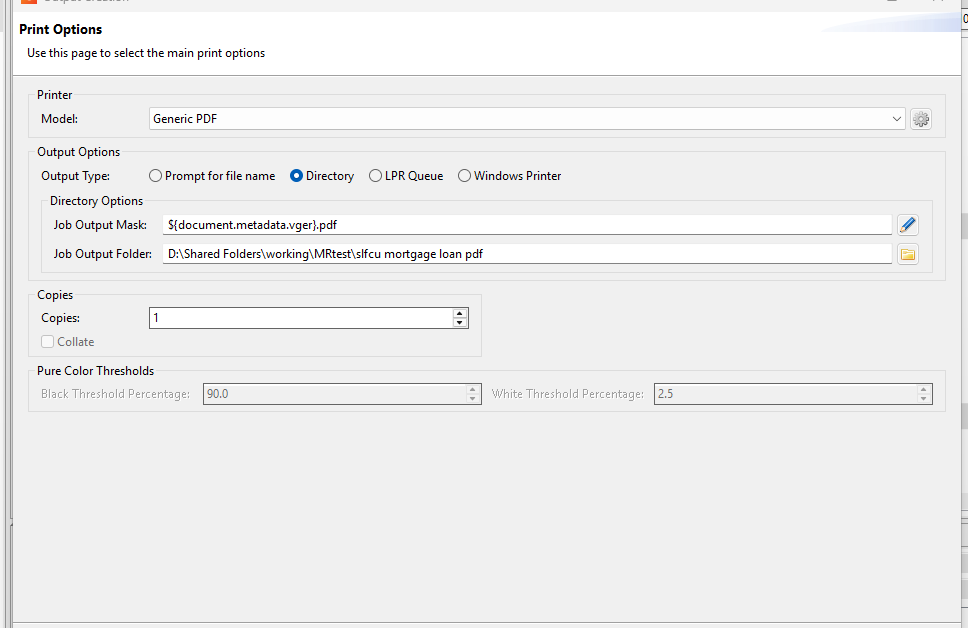
My Output Preset. Separation does work when I use an extracted data field to name my PDF files
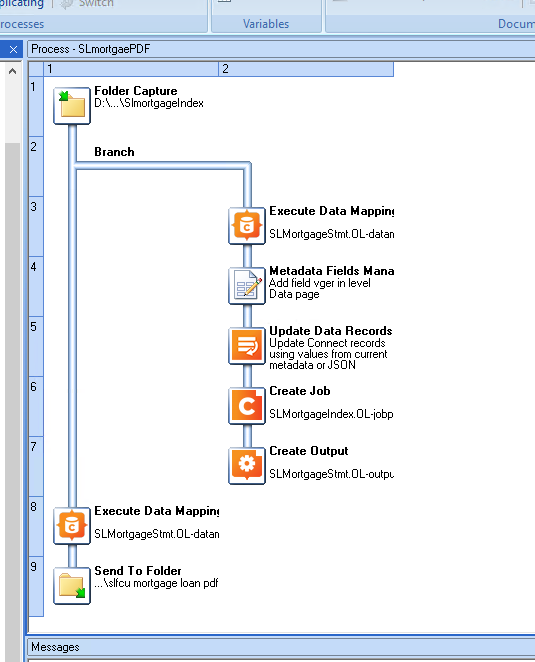
My Workflow Process. I have tried to incorporate several ideas I found in this forum.
I feel like I am close to a solution. But I also feel I may be “not seeing the forest for the trees.” Any insight, or alternatives, would be appreciated.