My attempt to extract and presort address data from PDF utility statements, then merge it back to the correct statement for print and mail, has gone very well.
Until today, when I met my new nemesis, duplex!!!
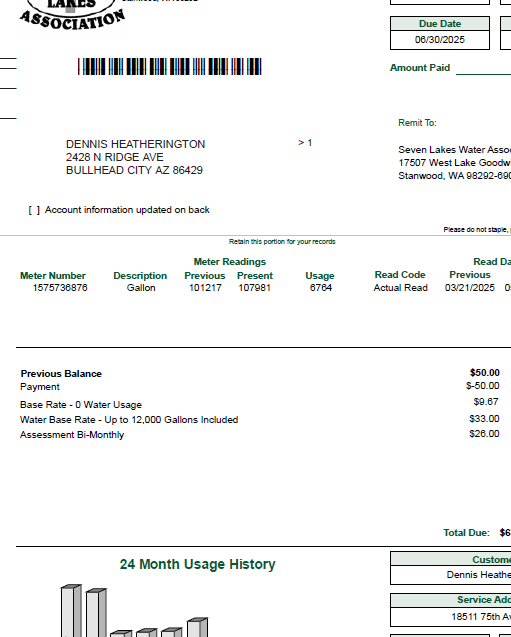
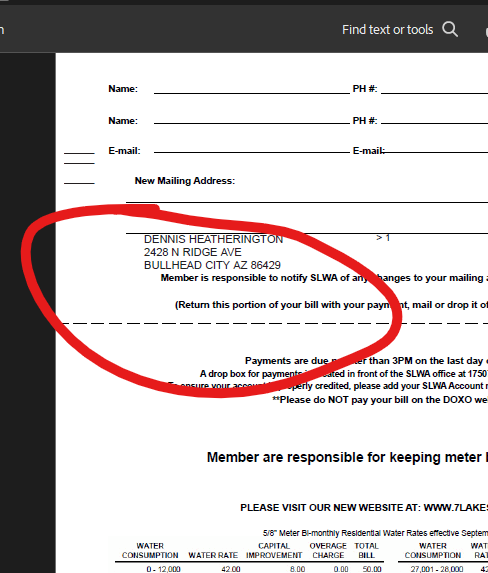
The first few jobs I converted contained only simplex PDF statements, but this new customer has a static rate table as the back page of each PDF statement, and the address block is printing on the back side, too. I have not differentiated front and back pages of the PDF statement; I did not need to until now.
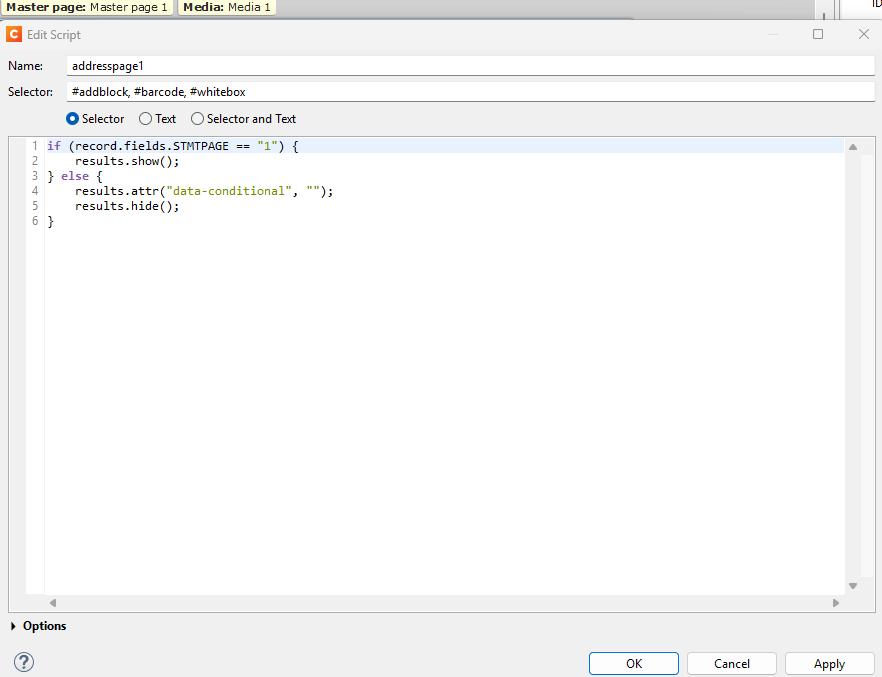
During the presorting process, we combine statements on address, so an account with multiple statements only gets one mailpiece. I have a script that only prints the presorted address block on statement page 1, and I am hoping there is some way to modify this script to identify the front page of the PDF.
Unless you know in advance when a PDF contains duplex pages and when it doesn’t, your only hope is to look for something that is unique to front or back pages of PDF. Then you can look for this as something to key on.
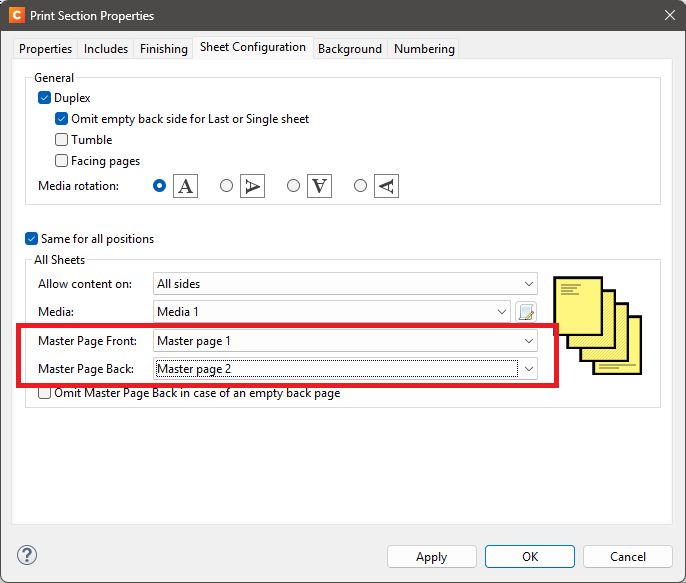
No need to modify that script if the element that matches the selector only exists on “Master page 1”. If there are potentially more than two pages per record you would have to uncheck “Same for all positions” and make an exception for the first sheet.
Thank you for the replies. Altering the Print Section properties only results in the addition of a blank page, and now all three pages have the address block imaged. I do not know how to key off of a flag on the front page of the PDF when the PDF is a dynamic image that is not even visible in my template design.
This job contains two processes. The first is merely a Datamapper that extracts address data and uses a postprocessing script to write those address fields to a CSV file for importing into our presorting software (BCC Ignite/Redpoint DM). Then a Job Preset and Output Preset “Separate” the master PDF into individual, 2 page documents.
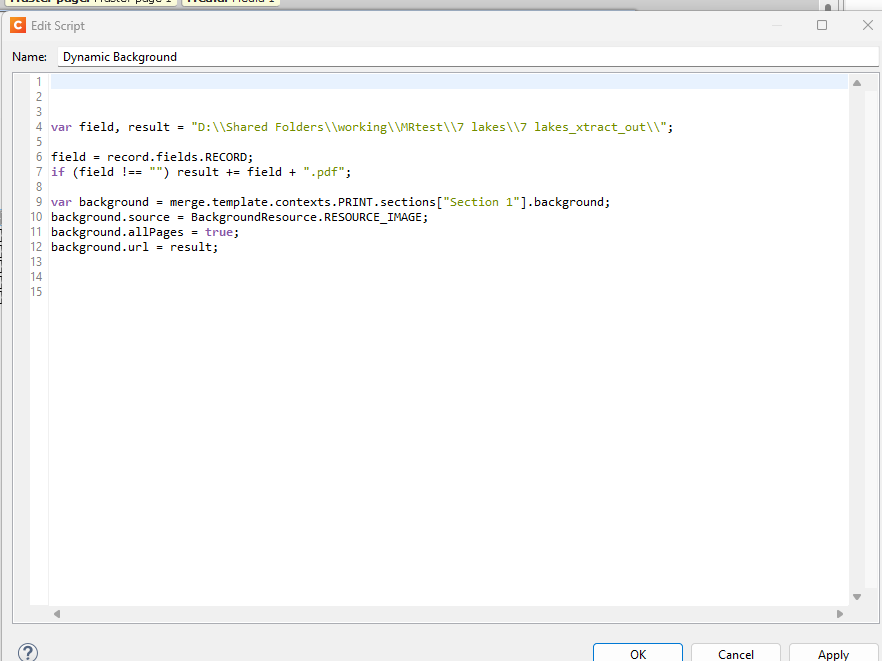
The template containing the Dynamic Background script is part of a second process, using the CSV file exported from Ignite. How do I tell my template, or the Dynamic Background script or even the addresspage1 script that the Dynamic Background being retrieved is two pages, but only print on the front? Is there some metadata option to determine the front and back of the retrieved PDFs?
Or do I need to alter the Output Preset that separates my original master PDF?
Can I use the Output Preset to separate only the front page of my master PDF, and add the static back page in my template?
I realize that my previous reply was a bit vague. I said you should make an exception for the first page, but I did not tell you how. Sheet configurations are powerful, you should be able to leverage that to get the behavior you are looking for, but it can be tricky to set up.
Maybe we should take a step back.
Your conditional script ensures the address block is only on the first page, and I think we established that the address block comes from a master page. If that is right, it would make more sense to add the address block to the section instead - near the top. It would then only appear on the front side of the first page, and you no longer need that conditional script. Master pages are intended for repeating content, and if I understand correctly the address block is not meant to be repeated.
My template only has 1 Master Page, and 1 Section. I think the real issue is the PDFs I am trying to merge the data with has 2 pages.
I do not know how to reconcile this discrepancy.
I see now that my template is being executed for each page of the merged PDF/Dynamic background. How do I executed it only for the front of the 2 page Dynamic background?
The conditional script for the address block is a red herring. It was original conceived for a simplex job where simplex stmts were combined into multi-page, simplex documents for inserting purposes. STMTPAGE == 1 is more accurately described as STATEMENT 1 of X. This script was designed to only print the presorted address on the first statement of a group of combined, simplex statements. I can see it is working as coded in this instance because combined statements only have the presorted address imaged on the first statement. It is still on both the front and back, though.
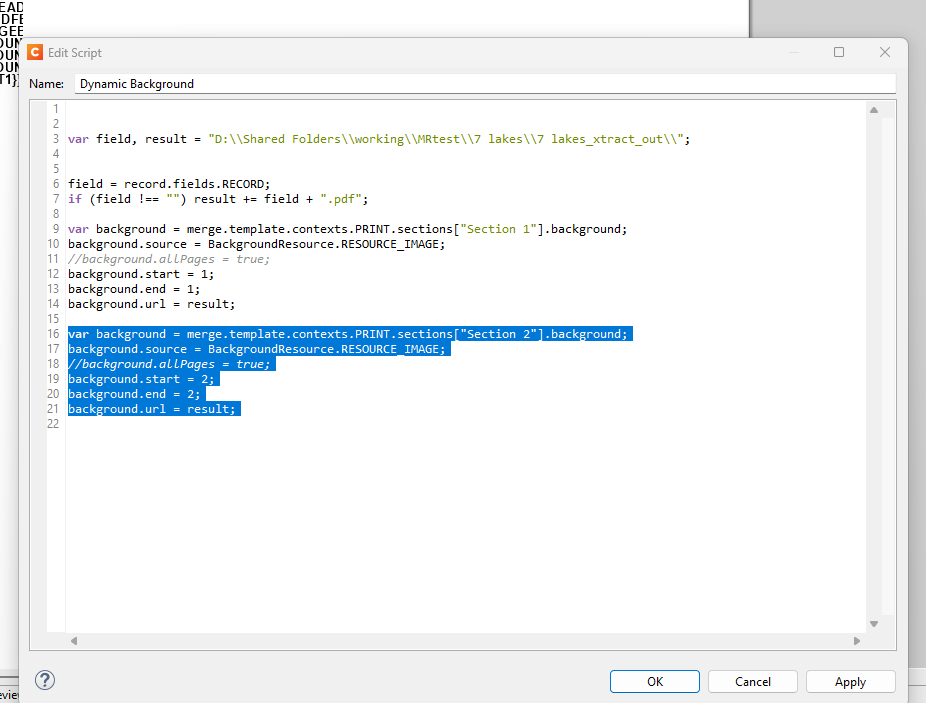
Once again, thank you for the replies. Even if they don’t always have the exact solution, this discussion helps me to contextualize how Connect works. Once I understood that my template was being executed for both the front and back pages of the Dynamic background, I got a new idea.
Solution below for posterity
All of my address data and OMRs were confined to Section 1. So I created a Section 2 that was completely blank.
I then added the highlighted code to my Dynamic Background script.