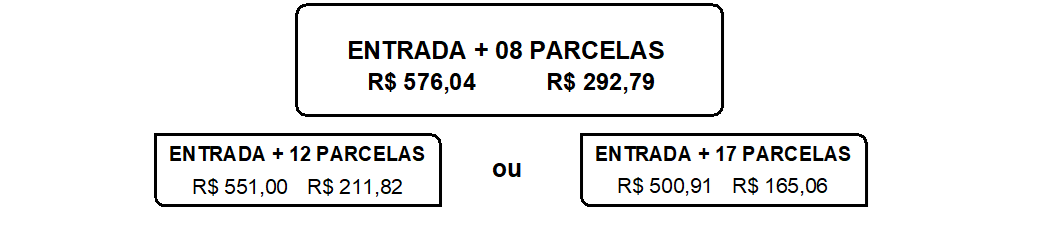
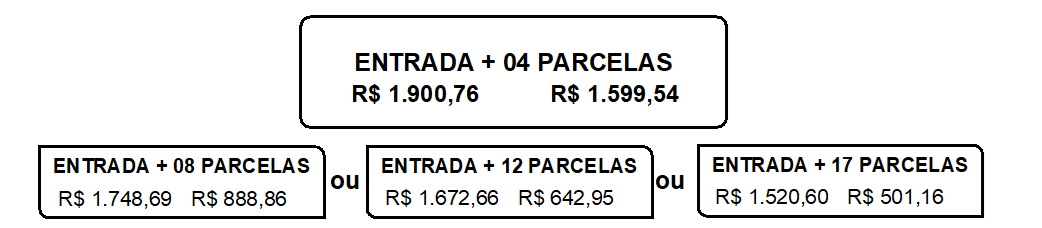
I need to insert installment payment tables into the document. The file contains one line per entry type. For example, for four payment methods, we have four lines of type 2 in the file; for six payment methods, we have six lines of type 2 in the file. The way these payment tables are displayed depends on the number of type 2 lines, as the physical space for displaying these tables is limited.
Because of this, I need to create a conditional script that allows me to identify the installment type. I’m having trouble executing this script.
The attached data is fictitious due to data protection.
I created a new data model in Datamapper using the script below. The process already included a looping segment for reading rows type “2.” This function created a count of installment types for each record. With this information, I was able to create a conditional script and use it in the Design layout.
Thank you all for your time.
Have a great week, everyone.
var count = 0;
try {
var secao = record.tables[‘detail’];
if (secao) {
    if (Array.isArray(secao)) {
        count = secao.length;
    } else if (typeof secao === 'object') {
        for (var prop in secao) {
            if (secao.hasOwnProperty(prop)) {
                count++;
            }
        }
    }
}