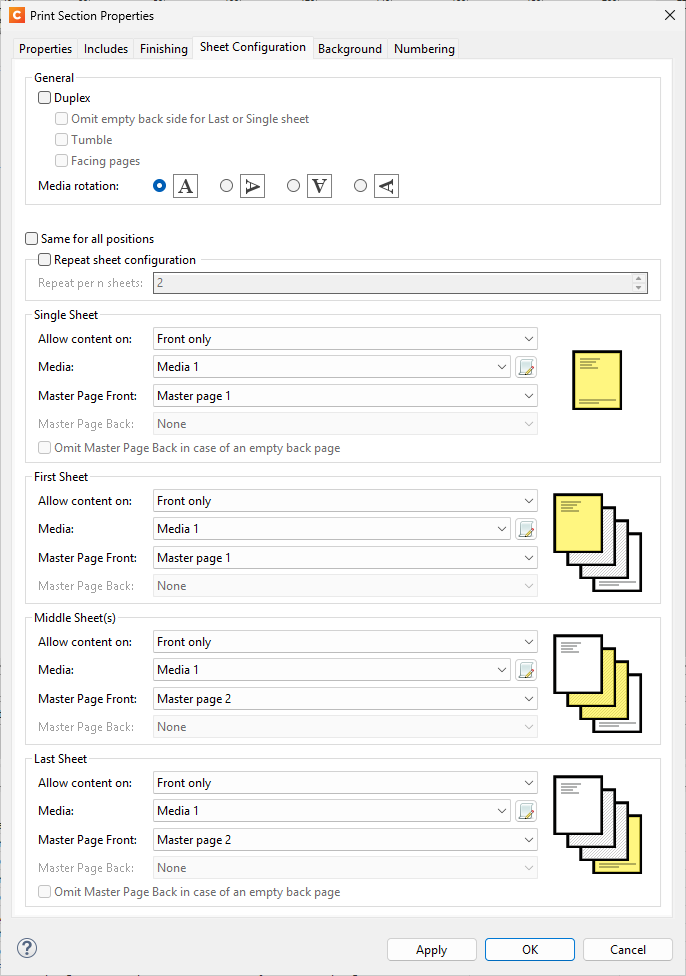
I’m creating a report with two different formats. Regardless of the number of records, Master Page 1 should be used for the first page, and Master Page 2 should be used for all subsequent pages.
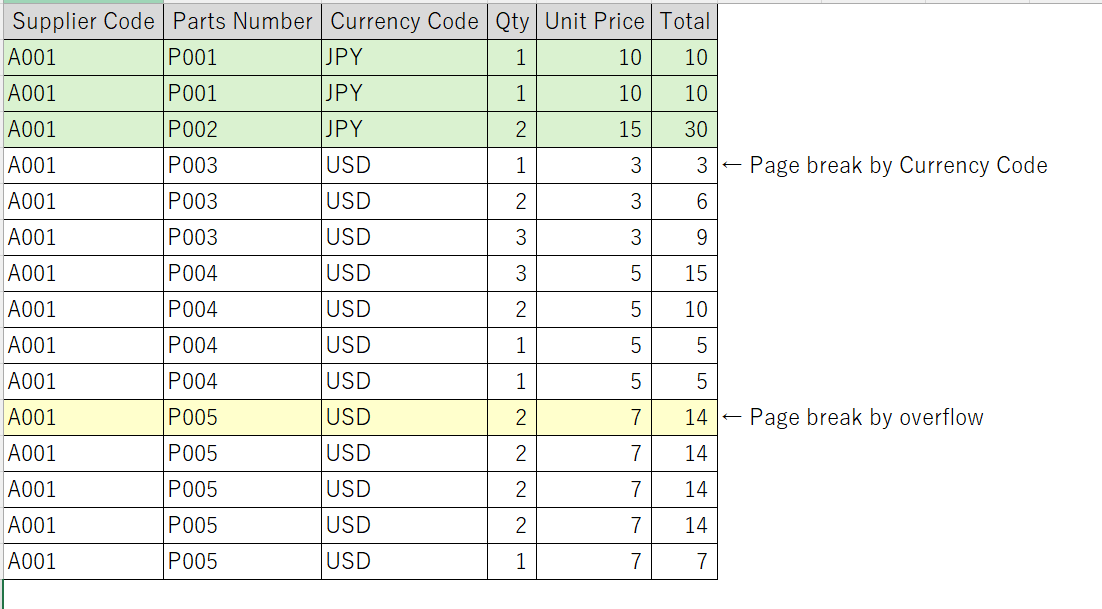
The image below shows a sample of the input data. Page breaks are based on the currency code. In this case, the data is split into two records; however, even if the records are separated, I want the second record to use Master Page 2 instead of Master Page 1. Could you please advise how to apply Master Page 1 only to the first page?
To make sure that only the first record has “Master page 1” applied as for Single Sheet and First Sheet, you can apply something like the following to make sure that all other records have only “Master page 1” applied.
Control script
Name: Change master page
if (record.index > 1) {
	var section = merge.template.contexts.PRINT.sections["Section 1"];

	section.sheetConfig.positions.all.masterFront = "Master page 2";
}