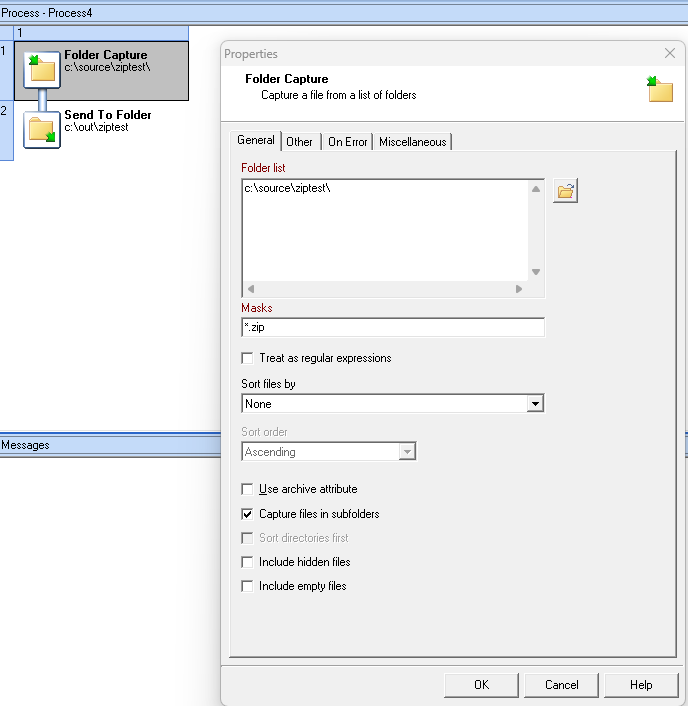
I have a client that uploads zip files into various subfolders. Let me stress that there are no zip files uploaded to the root folder.
I have a workflow that looks in this folder for zip files and I have set the properties to “capture files in subfolders”. Unfortunately it never retreives the files in the sub folders.
The process only works if the zip files are in the root folder (I’ve found this out by testing it). Why would the plug-in not find the zip files in the sub-folders?
1- You didn’t forget to send your configuration after ticking the Capture files in subfolders
2- The ZIP files aren’t 0kb
3- The file aren’t locked by another application (try deleting one of them, if you can’t, another application has a lock on it).
4- The file don’t match the Masks setup.
5- The Worflow users doesn’t have the rights to the subfolders or its content.
Thank you for your response. I have checked and re-checked the above listed items. Also, if I copy those exact same zip files from the subfolders into the root folder the process works as expected.
I also tried using your “1 process” test method using the same folder locations in my problem workflow and it also worked. This suggests that the folder location/permissions aren’t the issue?
Unless there is more to your process than you have shared with us, I think your current Workflow configuration is corrupted. I suggest you recreate your processes in a new config but not by importing from the potentially corrupted one.