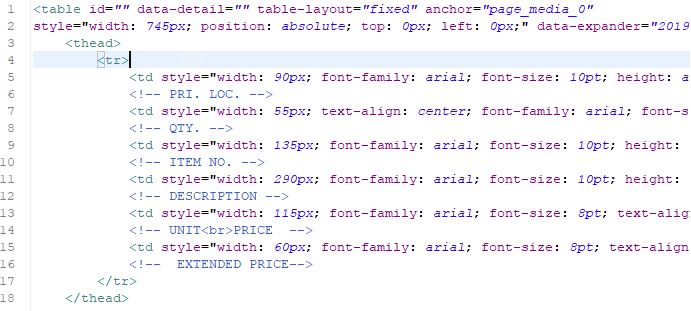
The field headers reside in the Header and the field rows reside in a Print Section. Initially when I had the field headers and field rows in the Print Section together, everything behaved as expected. However, when I separated them the widths of the data fields began changing with each new XML I tried in the data model.
It seems the table is an absolute positioned element, not sure if this is really needed. Happy to give your template a quick peek, send me a direct message and I’ll give it a go.
I think I see what the issue is. Some of the cells in the table have images in them which cause the data fields to move to the right to accommodate them. I’m guessing I need to set the widths for the fields that have images in them to be as wide as the images. Should that fix the issue?
Think I sorted things out. It was a combination of the image sizes and the fact that column widths were not matching between the main table and header on the master. I fixed that and have sent you my version of the template
PS. Also took some time to simply the HTML source a bit by moving the inline formatting to a stylesheet file (for inspirational purposes ;). In addition I placed the table in the main text flow so that rows are able to overflow to the next page.
For anyone reading this in the future I think the main solution was to explicitly set the table width in pixels and then set the column widths in %. That along with accounting for the image sizes within the cells.